How Teams Write User Stories As a User So Developers Build the Right Thing

Understanding user stories as a user
Many software teams use a short sentence called a user story to explain what should be built. The phrase user stories as a user describes the common format that starts with the words As a user type.
A user story is a simple way to explain a feature from the point of view of the person using it. Instead of starting with code or technical details, the story starts with the user problem.
For example, a shopping website might need a way for customers to save items for later. A user story explains the need before any code is written. This helps developers build the correct feature instead of guessing what people need.
Keep this guide as a working reference
Save, bookmark, or share this article so the next similar task is easier to handle.
How teams write user stories as a user so developers build the right thing
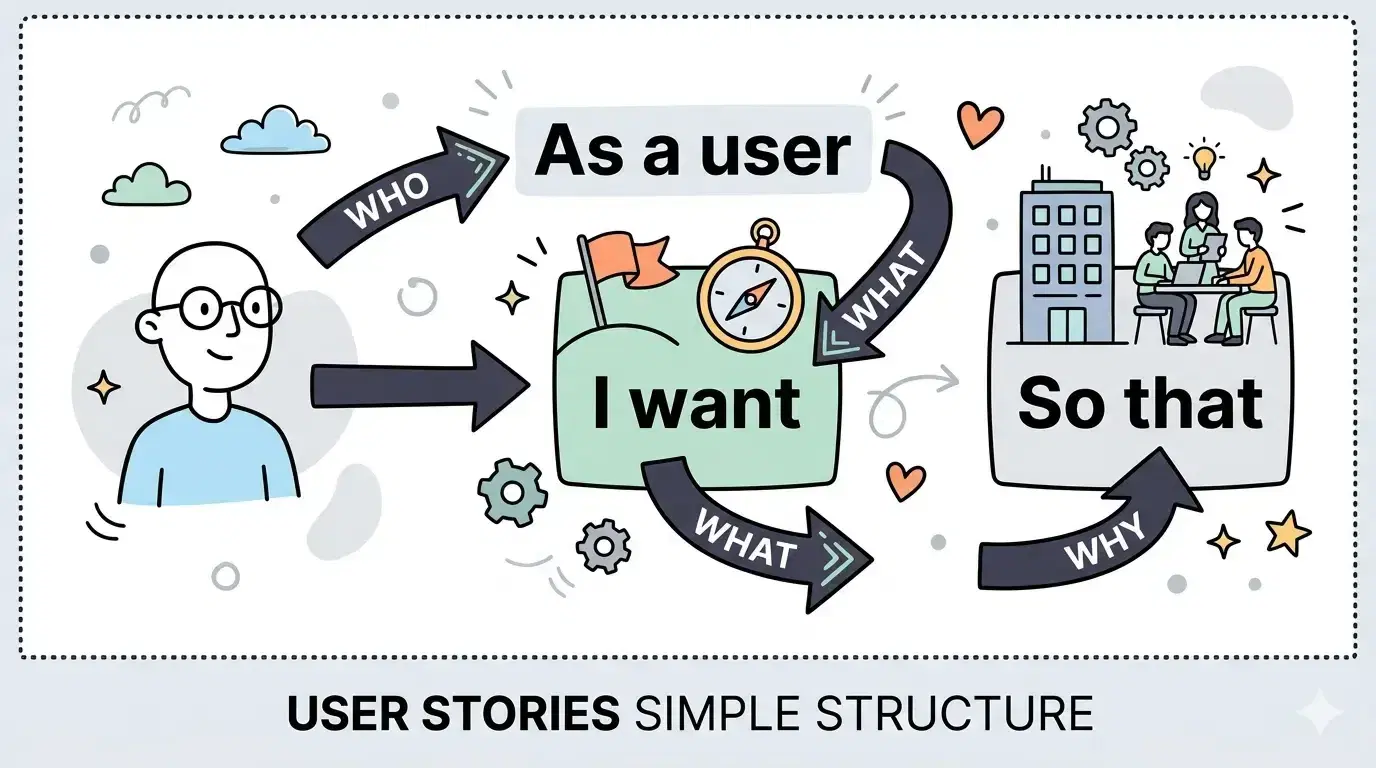
A user story is a short sentence that explains three simple things. It explains who needs something, what they want to do, and why it matters.
The common structure looks like this. As a user type. I want an action. So that a benefit happens. This structure keeps the story clear and easy to understand.
For example, a story for an online shop may say that a shopper wants to save items to a wishlist so the items can be purchased later. The sentence explains the user, the action, and the benefit.
This simple format helps developers understand the real goal of the feature. When the goal is clear, the team can build the correct solution faster and avoid building features that nobody needs.
Why teams write user stories using the As a user format
A user story solves a common problem in software projects. Feature requests are often vague or confusing. A message might say add filters to the product page without explaining why the filters matter.
The As a user format forces the team to explain the real need. The story must name the person using the feature and the benefit they expect.
For example, a vague request might say add export button. A clear user story explains that a manager wants to export sales data so the data can be shared with the finance team.
When the benefit is clear, the team can judge whether the feature is useful. This prevents building features that sound interesting but do not help users.
How teams choose the right type of user in a story
The first part of the story identifies the user. This user is the person who directly uses the feature.
Good user types are specific. Examples include shopper, student, seller, support agent, or administrator. Each one represents a real person using the system.
A vague user type such as system user causes confusion. Developers cannot understand the real situation when the user is unclear.
For example, a login feature might use the story that a student wants to reset a password so access to a learning portal can be restored. The user type student makes the situation clear.
Three parts that make a good user story
A good user story contains three parts. These parts describe the user, the action, and the benefit.
The first part identifies the user. The second part describes the action the user wants to perform. The third part explains the reason or benefit of that action.
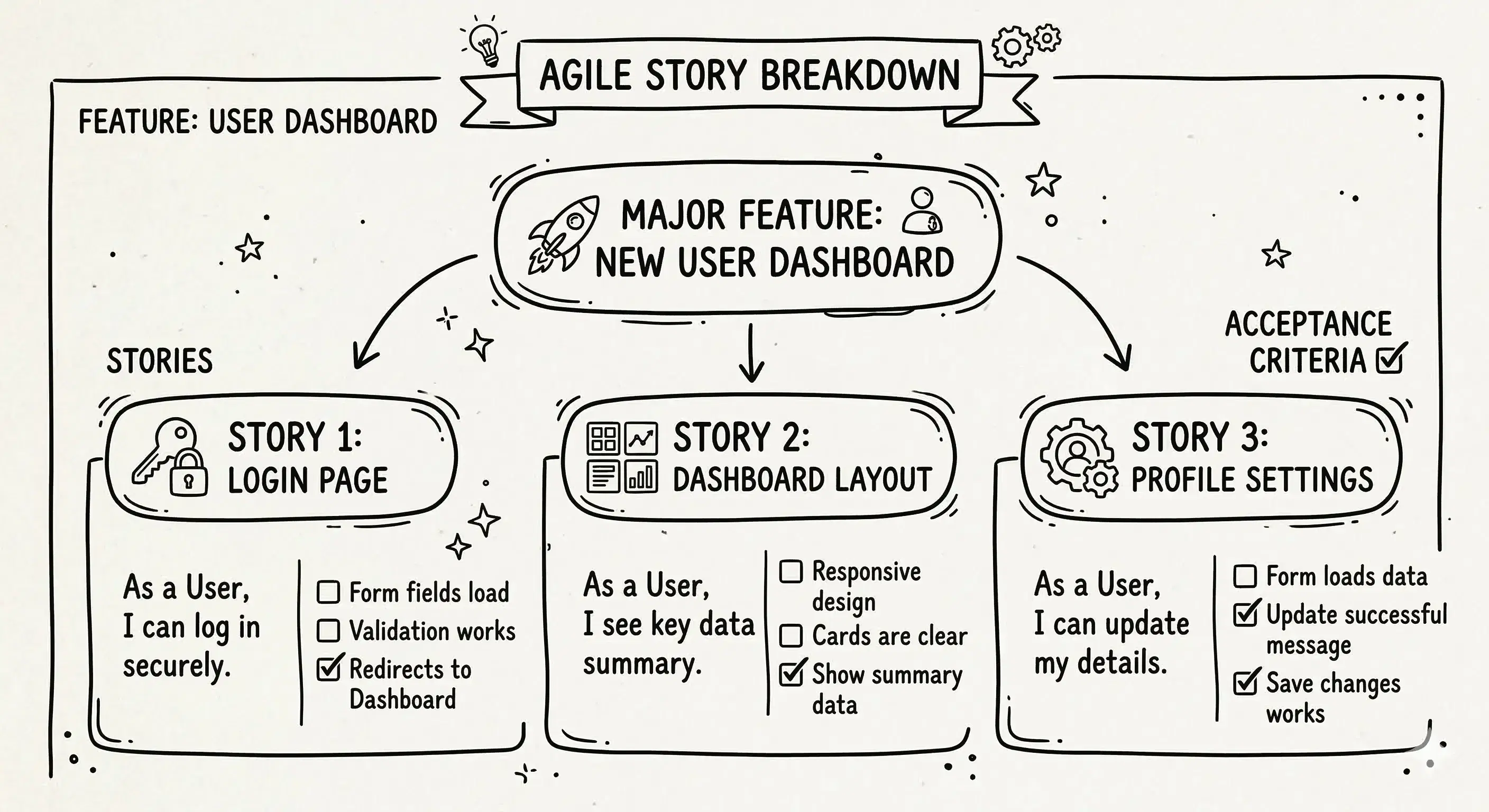
Another way to remember this idea is the three Cs. The first C stands for card which is the short story sentence. The second C stands for conversation which means the team discusses the story to understand it fully. The third C stands for confirmation which means the team defines success rules that show when the feature is complete.
For example, a password reset feature may use the story that an account owner wants to reset a forgotten password so access to the account can be restored. The team then discusses the details and writes simple success rules to confirm the feature works.
Why the benefit part matters most
The last part of the story explains why the feature exists. This is the benefit part of the story. It usually starts with the words so that.
Without this part, the story only describes an action. The team may not understand the real goal behind the feature.
For example, a weak story may say that a user wants filters. This sentence describes an action but gives no reason for the feature.
A stronger story explains that a shopper wants price filters so affordable products can be found quickly. The benefit makes the goal clear and helps developers design the correct solution.
How a user story is different from a technical requirement
A user story describes a problem and the value of solving that problem. A technical requirement describes how the system will be built.
For example, a user story may say that a customer wants to download an invoice so a purchase record can be kept. This explains the user goal.
A technical requirement may say that the system generates a PDF file and stores invoice data in a database. This explains the implementation details.
The user story helps the team understand the purpose of the feature. The technical requirement explains the engineering work needed to build it.
| Focus | User problem and benefit | System behavior and implementation |
| Example | Customer downloads invoice to keep records | System generates PDF invoice file |
| Purpose | Explain value of feature | Explain how the feature works |
Frequently Asked Questions
What makes a user story good enough for a sprint
A story is ready when it is small, clear, and testable. Small means the work can be finished within the planned time. Clear means the team understands the goal.
Testable means simple success rules exist. These rules show whether the feature works correctly once the code is built.
Who should write the As a user story
In many teams the product owner writes the first version of the story. The product owner is the person responsible for deciding what features the product needs.
The development team then reviews the story together. During this discussion the story may be improved so everyone understands the goal.
How many user stories usually fit in a two week sprint
There is no fixed number of stories for a sprint. The amount depends on how complex each story is and how large the team is.
Teams usually estimate how much work they can complete in two weeks and select stories that fit within that limit.
Do new measurement rules change how teams estimate user stories
Some modern measurement standards help teams compare software work more consistently. These rules can guide how teams measure effort.
Even with these rules, most teams still estimate stories based on complexity and effort rather than strict formulas.
Should humans review user stories written by AI tools
Yes. Artificial intelligence tools can generate draft stories quickly. However the tool may misunderstand the real user problem.
A human review ensures the story describes a real need and matches the product goals before development begins.
Conclusion
User stories as a user help teams describe features in a clear and human way. The story focuses on the person using the product and the value they receive.
A good story explains who needs something, what action they want to take, and why the action matters. This structure keeps development focused on real user problems.
When teams write user stories carefully, developers build features that solve real needs instead of guessing what users want.
Save this article for later
Keep this page as a simple reference for the next time a team needs to write clear user stories.