Android and iPad Chrome Bookmark Manager Fit for Sortsites
A practical platform-fit guide for Chrome users comparing Android, iPad, and browser-based bookmark organization needs before choosing Sortsites.
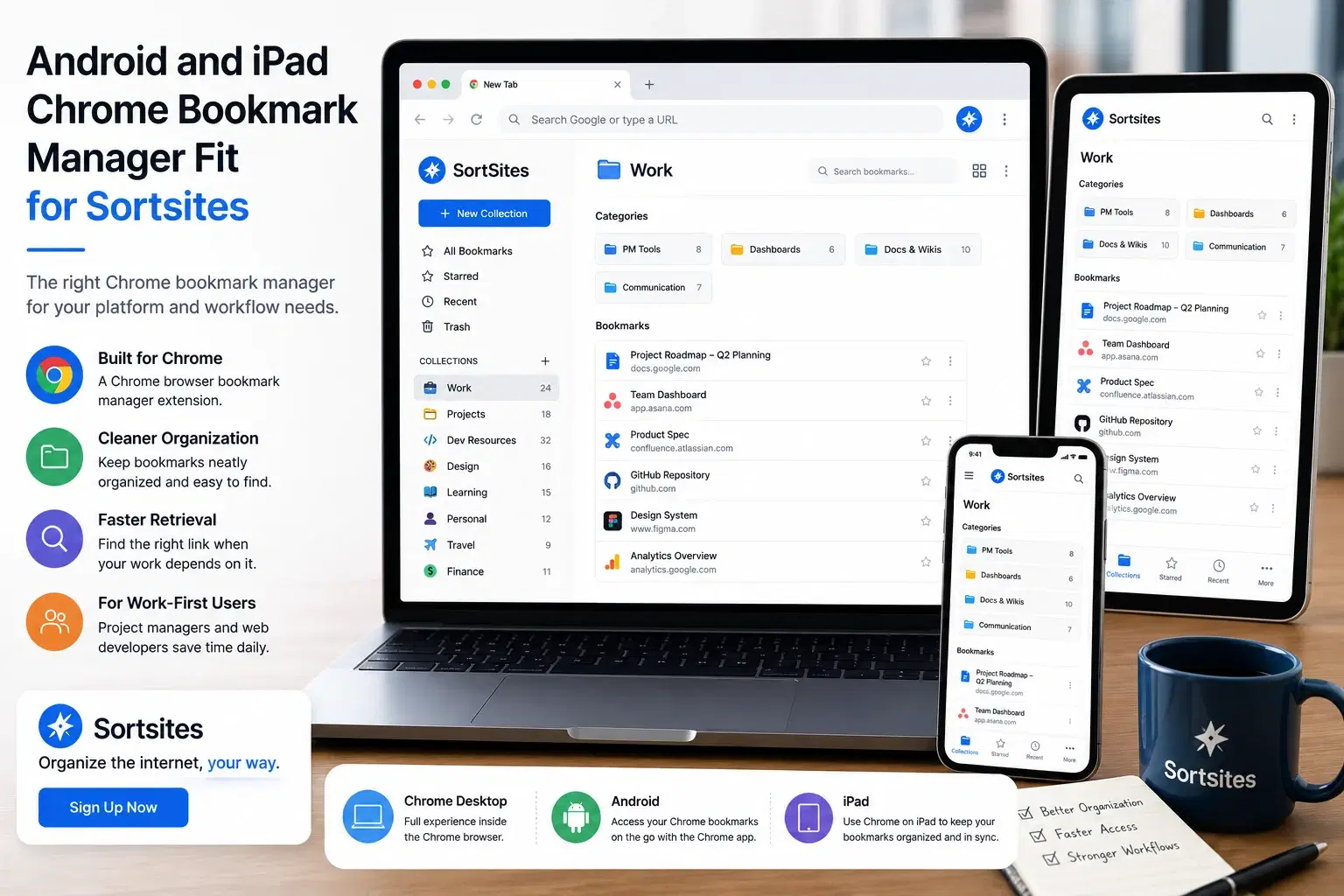
Sortsites helps you decide whether a Chrome bookmark manager extension fits your platform needs when you are comparing Android bookmark manager options, iPad Chrome bookmark manager expectations, and browser-based bookmark organization.
Key takeaways
- Sortsites is positioned as a Chrome browser bookmark manager extension.
- The clearest fit is for users whose bookmark workflow depends on the Chrome Internet browser.
- If your main problem is bookmark organization and quick retrieval, Sortsites matches that need directly.
- If your priority is a device-specific Android or iPad bookmark app outside the Chrome browser workflow, evaluate that platform need separately.
Start with your real platform need
When you search for bookmark manager Chrome Android, Android Chrome bookmark manager, iPad Chrome bookmark manager, or Android bookmark manager, the real question is where your bookmark workflow actually happens.
If your daily work happens in the Chrome browser, a Chrome bookmark manager extension can be the right category to consider. If your main need is a separate mobile-first bookmark app, that is a different decision.
For project managers and web developers, the useful test is simple: where do you save, organize, and retrieve the links that support your work? The answer should guide the tool you choose.
| Platform question | What it means for your decision |
|---|---|
| You mainly work in Chrome | Sortsites is aligned with a Chrome browser bookmark manager workflow. |
| You need cleaner bookmark organization | Sortsites fits the problem of organizing bookmarks and improving retrieval. |
| You are comparing Android bookmark manager options | Focus on whether your bookmark problem is tied to Chrome browser usage or to a separate mobile workflow. |
| You are checking iPad Chrome bookmark manager fit | Look at whether your current workflow depends on Chrome-based bookmark organization. |
How Sortsites fits Chrome-based bookmark organization
Sortsites is a Chrome browser bookmark manager extension. Its purpose is to help you organize bookmarks more neatly and manage workflows that depend on saved links.
Chrome browser focus
Sortsites is built around the Chrome browser environment, which makes it relevant when Chrome is where your bookmarks live.
Bookmark organization
The product addresses the core problem of messy bookmark organization and difficult retrieval.
Workflow support
Project managers and web developers can use a cleaner bookmark system to keep work resources easier to find.
Simple signup path
If the platform fit is right, the next step is to sign up and use Sortsites as your bookmark organiser.
When Sortsites is the right platform fit
Choose Sortsites when your bookmark problem is tied to Chrome browser usage. That means you save many links, need a neater organization system, and want faster retrieval for work-related bookmarks.
This is especially relevant when bookmarks support active workflows. A project manager may need quick access to project plans, stakeholder references, dashboards, and research. A web developer may need documentation, tools, repositories, and technical references. In both cases, scattered bookmarks slow down work.
- You use Chrome as an important part of your workflow.
- You save enough bookmarks that retrieval has become a problem.
- You want a bookmark organiser rather than a broad productivity app.
- You manage work links for projects, development, research, or planning.
- You are ready to sign up for a cleaner Chrome bookmark manager extension.
When to look for a different platform option
Sortsites may not be the right fit if your main need is not Chrome-based bookmark organization. If you are looking only for a device-specific Android bookmark manager or an iPad-first bookmark app, choose based on that platform requirement.
The decision should stay practical. If your saved links are part of a Chrome workflow and the pain is poor organization, Sortsites is aligned with the problem. If the pain is outside that workflow, the fit may be weaker.
For the broader product overview and how Sortsites fits the full browser-based bookmark workflow, visit the main Sortsites Chrome bookmark manager page.
Platform fit questions
FAQs
Is Sortsites a Chrome bookmark manager?
Yes. Sortsites is a Chrome browser bookmark manager extension for organizing bookmarks.
Is Sortsites for Android bookmark management?
Sortsites is described as a Chrome browser bookmark manager extension. If your Android need is separate from your Chrome browser workflow, evaluate that platform need separately.
Is Sortsites an iPad Chrome bookmark manager?
Sortsites is positioned around Chrome browser bookmark management. Use it when your main need is organizing bookmarks in a Chrome-based workflow.
Who gets the most value from Sortsites?
Project managers and web developers who use Chrome and need a neater way to organize bookmarks and manage workflows are the clearest fit.
Choose a Chrome bookmark manager built for organization
Sign up for Sortsites if your bookmark workflow depends on Chrome and you need a cleaner way to organize and retrieve saved links.